

Core Defensive Loop
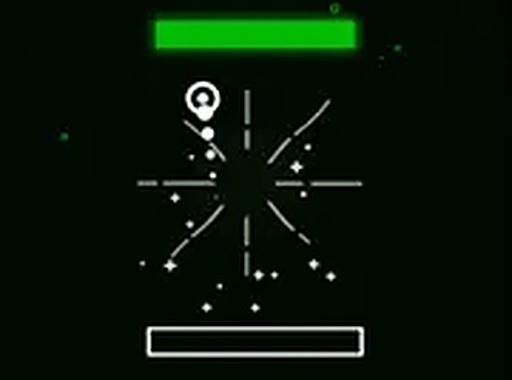
Orbit Guard: Space Barrier places you in control of a single, powerful arc that circles your planet. Your primary task is to rotate this barrier to meet incoming asteroids head-on. Each successful block prevents damage, but the challenge escalates as the frequency and variety of space rocks increase. The game’s core loop is deceptively simple: assess the trajectory of each threat, reposition your shield, and neutralize the danger. This cycle of observation and reaction forms the heart of the experience, rewarding players who can maintain focus under pressure.
Controls & Responsiveness
The game is built around a streamlined control scheme using only the keyboard. Players use the up and down arrow keys to shift their shield’s orbital position, while the space bar activates a burst to clear a path. This minimal input design ensures that the barrier between player and challenge is thin, allowing for immediate action. The controls are tuned for precision, meaning that even a slight tap can make a difference in a crowded field of asteroids. This responsiveness is crucial as the game’s tempo quickens.
Visual Style & Performance
Developed using the Unity engine, the game presents a clean, vibrant visual palette. The planet at the center is rendered with a soft glow, while incoming asteroids are distinct and easy to track against the dark backdrop of space. The shield itself leaves a bright trail, providing clear visual feedback on its current position. The performance is smooth, maintaining a steady frame rate even when the screen fills with debris. This clarity is essential for players to make split-second decisions without visual clutter.
Progression & Difficulty Curve
The difficulty in Orbit Guard: Space Barrier ramps up in a structured manner. Early rounds introduce single, slow-moving asteroids, allowing players to get comfortable with the controls. As the game progresses, asteroids arrive in clusters, at varying speeds, and from unpredictable angles. This gradual increase in complexity tests not only reflexes but also the ability to prioritize threats. There are no power-ups or extra lives; success depends entirely on the player’s growing skill and situational awareness. The high score serves as the primary measure of progress.
Student Development & Design Philosophy
Created by a small team of student developers, the game reflects a focus on core mechanics over superfluous features. The design philosophy emphasizes accessibility and pure gameplay. There are no menus filled with options or complex tutorials. Instead, the game launches directly into the action, trusting players to learn by doing. This approach is reminiscent of classic arcade titles where the challenge is immediate and the rules are learned through play. The result is a focused experience that respects the player’s time.

Comments
0 comments