Details

Urban Rail Planner

Urban Rail Planner

Developer: Bane Ember Games
Published: 2026-02-14
Updated: 2026-07-30
Strategy Simulation

Reviews

Urban Rail Planner stands out for its focus on gradual network growth and passenger flow management. The simple controls make it accessible, while the strategic depth keeps experienced players engaged. The clean visual design and lack of time pressure create a relaxing atmosphere. Watching your initial single station evolve into a sprawling transit web is genuinely rewarding. It is an excellent choice for anyone who enjoys city-building or puzzle games without the stress of real-time management.

About this game

Core Planning Mechanics

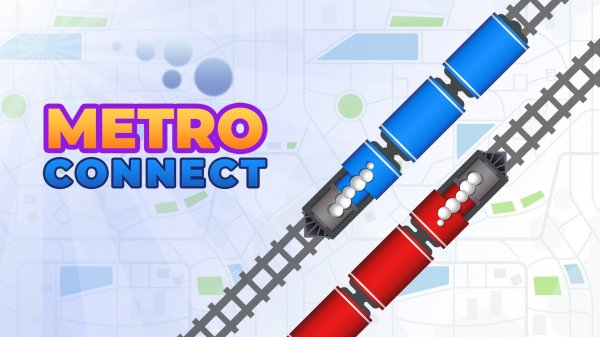
Urban Rail Planner puts you in control of a city's underground transit system. The game begins with a single station, and your task is to expand outward by adding new stops and connecting them with rail lines. Each decision affects how efficiently passengers move through the network. You must consider factors like station spacing, line intersections, and transfer points to keep travel times reasonable. The game rewards careful thought rather than speed, making it a relaxed but engaging experience.

Growth and Unlock System

As your network grows, new areas of the city become available for expansion. Each new zone introduces different passenger densities and travel patterns, forcing you to adapt your approach. Upgrades become available as you meet certain milestones, such as increasing station capacity or adding faster trains. This gradual progression keeps the game interesting without overwhelming you with options all at once. The satisfaction comes from seeing your early choices pay off as the system becomes more efficient.

Visual and Interface Design

The game uses a clean, top-down view of the city with clear icons for stations and lines. You can zoom in to inspect individual stations or zoom out to see the entire network at a glance. Controls are simple point-and-click, making it easy to place new stations and draw connections. The interface is designed to be intuitive for players of all ages, with minimal clutter and helpful tooltips that explain each action.

Passenger Flow and Scheduling

Managing passenger flow is the heart of the game. Each station generates travelers who want to reach other parts of the city. Your job is to design routes that minimize transfers and waiting times. You can adjust train schedules to match demand, adding more trains during peak hours or adjusting frequencies to avoid overcrowding. Balancing capacity with operational costs adds a layer of strategy without becoming overly complex.

Accessibility and Platform Support

Urban Rail Planner runs smoothly on web browsers for both desktop and mobile devices. It is also available on iOS, allowing you to play on the go. The game does not require fast reflexes or quick decisions, making it suitable for casual sessions. Its family-friendly design means players of all ages can enjoy the challenge of building an efficient transit network.

Compatibility

â–¸ Desktop: Chrome / Edge / Firefox / Safari
â–¸ Mobile: iOS Safari / Android Chrome
â–¸ Tablet: iPadOS Safari / Android Tablet Browser
Keep your browser updated for the best experience
Advertisement

Faq

Can I play Urban Rail Planner on my tablet?
Yes, the game is optimized for mobile browsers and is also available as an iOS app. The touch controls work well for placing stations and drawing rail lines on smaller screens.
Is there a time limit or pressure to complete levels?
No, Urban Rail Planner does not use timers or countdowns. You can take as long as you need to plan your network and make adjustments. This makes it a relaxing game suitable for all ages.
How many stations can I build in a single game?
The game does not specify a fixed limit. As you expand into new areas, you can continue adding stations. The number depends on how far you progress and how much of the city you choose to develop.
Does the game include real city maps or fictional ones?
Urban Rail Planner uses fictional city layouts. Each playthrough presents a different arrangement of zones and passenger needs, so you cannot rely on memorizing a single map. This keeps the experience fresh.
Can I undo a station placement or route connection?
Yes, the game includes an undo feature that lets you remove recently placed stations or lines. This allows you to experiment with different layouts without penalty, encouraging creative problem-solving.
Is there a way to see statistics about my network's performance?
The game provides basic metrics such as passenger throughput, average travel time, and station usage. These statistics help you identify bottlenecks and areas that need improvement, guiding your expansion decisions.

Comments

0 comments
U
User
Loading comments...