
Core Mixing Mechanics
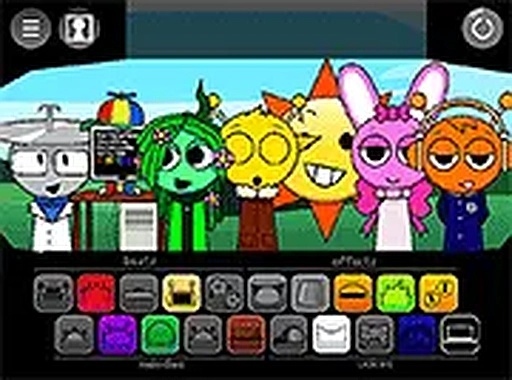
At the heart of Sound Weaver Studio lies a straightforward sound board where players pick from a library of audio clips. These include rhythm loops, effect bursts, and voice samples. By dragging chosen clips onto a timeline, users stack sounds to form layered melodies. The interface responds instantly, allowing for quick adjustments and real-time feedback. This hands-on approach makes the process feel like playing an instrument rather than using complex software.
Visual Distraction Mode
A standout feature is the special mode that introduces unexpected visual elements while players mix. These might be shifting colors or patterns that appear on screen, requiring steady concentration. The goal is to maintain focus on the audio arrangement despite these interruptions. This mode adds a playful challenge without making the experience stressful, appealing to those who enjoy multitasking.
Cross-Platform Accessibility
Sound Weaver Studio is designed for immediate play on any device with a modern web browser. Whether on a desktop computer, tablet, or smartphone, the game adapts to screen size and input method. Touch controls work smoothly on mobile, while mouse users enjoy precise drag-and-drop. Full screen mode is available for deeper immersion, and no installation or account creation is needed to start.
Creative Exploration Philosophy
The game deliberately avoids scoring systems or time limits, focusing instead on open-ended creativity. Players are free to experiment with combinations without fear of failure. This design encourages repeated play as users discover new sound pairings. The vibrant color palette and smooth animations support a relaxed atmosphere, making the tool suitable for both casual play and more deliberate composition.









Comments
0 comments