ChessBike Games

Details

Zodiac Mahjong Puzzle Game

Zodiac Mahjong Puzzle Game

Developer: Duel Labs
Published: 2025-07-02
Updated: 2026-06-12
Arcade Classic Puzzle

Reviews

Zodiac Mahjong offers a calm yet engaging puzzle experience. The zodiac theme adds visual variety, and the increasing board complexity keeps each level fresh. With no time pressure, it is perfect for relaxing sessions. The game runs smoothly on all devices and is easy to pick up, making it a reliable choice for casual play.

About this game

Game Introduction

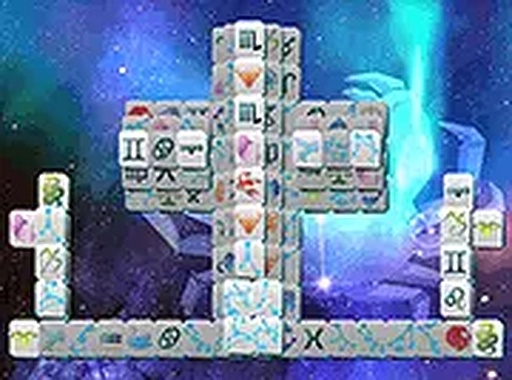
Zodiac Mahjong Online Puzzle Game is a tile-matching puzzle that blends the classic mahjong solitaire experience with the theme of the 12 zodiac signs. The core objective is to clear the board by matching pairs of identical zodiac tiles. Each level presents a new layout, and the game is designed to be accessible for players of all ages who enjoy strategic puzzle solving. This browser-based game requires no downloads and can be played on both mobile and desktop devices, offering a relaxing yet engaging experience for fans of astrology and mahjong alike.

How to Play

Players tap or click on two identical zodiac tiles that are free—meaning they are not blocked by other tiles on their left or right. Matching tiles must show the same zodiac sign to be removed from the board. The game continues until the entire board is cleared, allowing progression to the next level. Controls are intuitive: use a mouse on desktop or touch on mobile devices. There is no time limit, so players can take their time to plan each move. The game is suitable for beginners while still offering a satisfying challenge for experienced players.

Game Features

Zodiac-themed mahjong solitaire with 12 zodiac sign tiles. Free online play with no downloads required. Supports both mobile and desktop browsers. Full-screen mode available for a more focused experience. Levels with increasingly complex layouts that test observation and memory skills. No time limits, allowing for relaxed, strategic gameplay. Accessible design for players of all skill levels.

Tips for Success

Start by scanning the board for tiles that are most exposed—those with fewer adjacent tiles. Focus on clearing tiles that block many others first. Take your time, as there is no time limit, and plan your moves carefully. If you get stuck, try to remember which tiles have been matched and which remain. Practice regularly to improve your pattern recognition and memory skills. For a more immersive experience, use full-screen mode to reduce distractions.

✅ Compatibility & Testing

• Desktop (Windows 11, macOS Ventura)
• Mobile (iPhone 14, Samsung Galaxy S23)
• Tablet (iPad Pro, Android tablet)
✅Supported browsers: Chrome, Safari, Edge, Firefox (latest versions)
❌ Not supported: Internet Explorer, older browser versions
Advertisement

Faq

Is Zodiac Mahjong free to play?
Yes, the game is completely free to play. There are no hidden costs or subscription fees. You can enjoy all levels and features without any payment, making it accessible to everyone.
Do I need to download any software to play?
No downloads are required. The game runs directly in your web browser on both desktop and mobile devices. Simply open the game page and start playing instantly.
Can I play on my smartphone or tablet?
Yes, the game is fully optimized for mobile devices. You can play on smartphones and tablets using touch controls, just as easily as on a desktop computer with a mouse.
What happens if I cannot find a matching pair?
If you cannot find a matching pair, you may need to look more carefully or reconsider which tiles are free. Some layouts may require strategic planning. There is no time limit, so you can take as long as you need.
Are there different difficulty levels?
The game does not explicitly state difficulty levels, but as you progress through levels, the layouts become more complex. This naturally increases the challenge, testing your observation and memory skills further.
How do I enable full-screen mode?
Full-screen mode can typically be activated by clicking a full-screen button or icon within the game interface. This option allows for a more focused and immersive gaming experience, especially on larger screens.

Leave a Comment