ChessBike Games

Details

Star Pop Puzzle Match

Star Pop Puzzle Match

Developer: Curse Games
Published: 2025-03-21
Updated: 2026-06-26
Arcade Classic Puzzle

Reviews

Star Pop Puzzle Match is a charming and well-designed puzzle game that offers a satisfying mix of simplicity and challenge. The core matching mechanic is easy to grasp, and the gradual difficulty curve keeps you engaged without frustration. The colorful graphics are pleasant, and the lack of timers makes it a great choice for unwinding. It runs smoothly in a browser on any device, and being completely free is a huge plus. Overall, it is a solid, enjoyable puzzle game for casual players.

About this game

Game Introduction

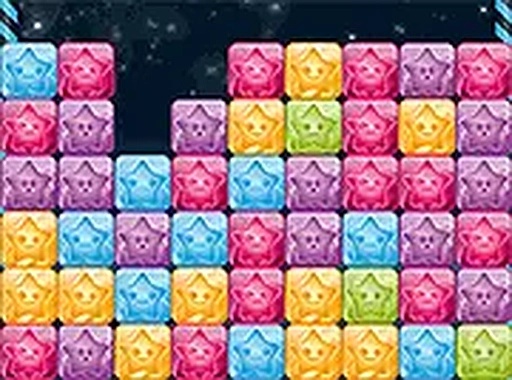
Star Pop Puzzle Match is a delightful and engaging puzzle game that challenges players to match and eliminate stars. The core gameplay is simple yet addictive: press two or more identical stars to make them pop. The more stars you remove in a single move, the higher your score climbs. The game starts off easy, allowing you to get comfortable with the mechanics, but as you progress through the levels, the difficulty steadily increases. This makes Star Pop Puzzle Match a perfect choice for anyone looking for a quick mental break or a way to pass the time. Whether you are on a lunch break or relaxing at home, this game offers a satisfying challenge that keeps you coming back for more. Best of all, it is completely free to play and runs directly in your browser with no downloads required.

How to Play

Playing Star Pop Puzzle Match is straightforward and intuitive. Simply look at the grid filled with colorful stars and find groups of two or more stars that are the same color. Click or tap on these stars to eliminate them from the board. The key to achieving high scores is to remove as many stars as possible in one go, as larger groups yield more points. The early levels are designed to be easy, giving you a chance to learn the rules, but the later levels introduce more complex patterns and fewer obvious matches. You can play on both mobile devices and desktop computers, and the game supports full-screen mode for a more immersive experience. There are no complicated rules or timers to stress over, just pure, relaxing matching fun.

Game Features

Fun matching puzzle with increasing difficulty. Simple one-touch controls work on any device. No downloads or installations required. Free to play with no hidden costs. Clean, colorful graphics that are easy on the eyes.

Tips for Success

Star Pop Puzzle Match offers a calm yet stimulating experience. The gradual difficulty curve keeps you engaged without causing frustration. It is a great way to unwind and sharpen your observation skills.

Compatibility

▸ Desktop: Chrome / Edge / Firefox / Safari
▸ Mobile: iOS Safari / Android Chrome
▸ Tablet: iPadOS Safari / Android Tablet Browser
Keep your browser updated for the best experience
Advertisement

Faq

Is Star Pop Puzzle Match available on mobile devices?
Yes, the game is designed to work on both mobile devices and desktop computers. You can play it directly in your browser on a smartphone or tablet without needing to download any app.
Does Star Pop Puzzle Match have any in-app purchases?
No, the game is completely free to play with no hidden costs. There are no in-app purchases or subscriptions required to enjoy the full experience.
Can I play Star Pop Puzzle Match offline?
No, the game requires an internet connection as it runs directly in your browser. It does not have an offline mode, but you can play it anytime you are online.
What happens when I match more than two stars?
Matching larger groups of stars gives you more points. The game rewards you for removing as many stars as possible in a single move, so look for bigger clusters to maximize your score.
Is there a time limit in Star Pop Puzzle Match?
No, there are no timers or time limits in the game. You can take as long as you need to find matches, making it a relaxing and stress-free puzzle experience.
How do I access full-screen mode in Star Pop Puzzle Match?
The game supports full-screen mode for a more immersive experience. Look for the full-screen icon or option in the game interface to expand the view on your device.

Leave a Comment