Truck Canvas Color Studio
Developer: Smilefall Labs
Updated: 2026-07-21
Art Coloring Creative

Truck Canvas Color Studio

Reviews

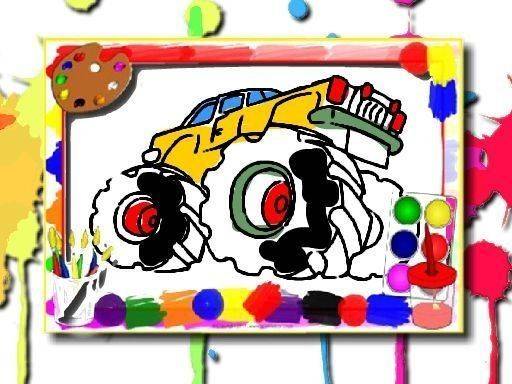
Truck Canvas Color Studio succeeds by keeping things simple. The absence of timers and ads creates a genuinely relaxing environment. The truck outlines are well-drawn with thick lines that make coloring easy for small hands. The color palette offers enough variety for interesting combinations without being overwhelming. The undo button encourages experimentation, and the save feature lets you keep your favorites. It is an ideal activity for winding down or for introducing young children to digital art in a safe, pressure-free way.

About this game

Creative Freedom Without Pressure

Truck Canvas Color Studio strips away all distractions. There are no scores to beat, no countdowns to race, and no wrong moves. The sole purpose is to enjoy the act of coloring at a personal pace. This approach makes the activity suitable for young children who are still developing fine motor skills, as well as adults seeking a moment of calm. The interface presents a clean workspace where the focus remains entirely on the artwork.

Toolkit Designed for Simplicity

The coloring tools are straightforward. A palette of vivid colors sits at the side of the screen, ready for selection. Players tap or click on any enclosed area within a truck outline to fill it with the chosen hue. Switching between colors is instantaneous, allowing for quick experimentation with different combinations. An undo button provides a safety net, encouraging users to try bold color choices without fear of making permanent mistakes.

Gallery of Truck Outlines

The game includes a selection of truck images, each featuring thick, clear lines and large open spaces. These designs range from simple side views to slightly more detailed profiles, offering variety without overwhelming complexity. The bold shapes help younger players stay within the lines while still providing enough detail to engage older users. Each outline serves as a blank canvas, ready to be transformed by the player's imagination.

Safe and Accessible Environment

Parents will appreciate the completely ad-free experience. There are no pop-ups, external links, or inappropriate content. The game runs directly in a web browser, requiring no software installation or account creation. This makes it an excellent option for classrooms, waiting rooms, or quiet time at home. The straightforward design ensures that even first-time computer users can start coloring within seconds.

Preserving Your Artwork

A built-in save function allows players to keep a copy of their finished creations. This feature is useful for tracking artistic progress over time or for sharing completed pieces with family members. The saved images serve as a tangible record of the creative process, providing a sense of accomplishment that goes beyond the digital experience.


Compatibility

✅ Works on PC & Mobile | Recommended: Chrome / Safari / Edge
PLAY NOW

Faq

Can I play Truck Canvas Color Studio on a tablet or phone?
Yes. The game works on any device with a web browser, including tablets and smartphones. Touch input is supported, so you can tap directly on the screen to color. No app store download is required.
Is there a limit to how many truck designs I can color?
The game includes a set gallery of truck outlines. Once you have colored all available designs, you can start over with fresh copies of any image. There is no limit on how many times you can reuse each outline.
Does the game save my work automatically?
No. The game does not auto-save. You must use the save button to keep a copy of your artwork. Saved images are stored as files on your device, not within the game itself.
Are there any in-app purchases or hidden costs?
No. Truck Canvas Color Studio is completely free to play. There are no in-app purchases, subscriptions, or advertisements. All features are available without any payment.
What age group is this game best suited for?
The game is designed for all ages. Young children can practice color recognition and hand-eye coordination, while older children and adults can use it as a relaxing creative outlet. The simple interface makes it accessible to beginners.
Can I print my colored truck designs?
The game does not have a direct print button. However, you can save your artwork as an image file and then print it using your device's standard printing options. This allows you to display your work physically.

Comments

0 comments
U
User
Loading comments...