
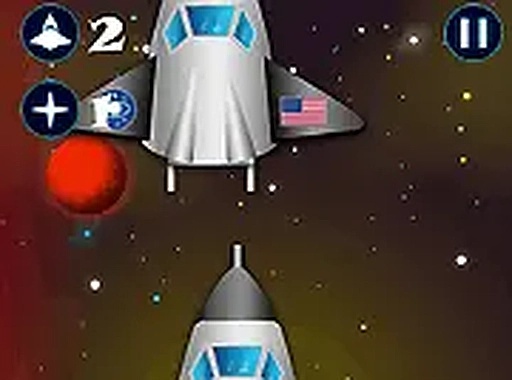
Space Challenge Arcade Game
Reviews
About this game
Game Introduction
Space Challenge Online Arcade Game is a browser-based arcade experience that puts you in the pilot seat of a space shuttle. Your primary mission is to carefully dock your spacecraft with a target station. This engaging HTML5 game offers a fun challenge for players of all ages. It tests your hand-eye coordination and patience. Available for free, it runs directly in your browser without any downloads. Designed for desktop play, it works best with a keyboard or mouse. You can enjoy it in full screen mode for a more immersive experience. Get ready for a cosmic adventure that is both relaxing and thrilling.
How to Play
To play Space Challenge, use your keyboard or mouse to control the space shuttle's movement. The goal is to align and dock the shuttle with the target station. Pay attention to speed and angle to avoid crashes. The game requires steady control and careful timing. Start by pressing the appropriate keys to thrust or rotate the shuttle. Practice makes perfect, so keep trying to improve your docking skills. The simple yet challenging gameplay will keep you coming back for more.
Game Features
Space Challenge offers fun and addicting space docking gameplay. It is designed for desktop play with full screen mode for an immersive experience. The game is free to play with no downloads required. Simple controls make it easy to learn, while challenging missions provide ongoing engagement. As an arcade game, it focuses on quick, skill-based sessions that reward precision and patience.
Tips for Success
To succeed in Space Challenge, focus on maintaining a steady speed and precise angle when approaching the docking station. Avoid sudden movements that could cause a crash. Practice regularly to improve your hand-eye coordination and timing. Learn the controls thoroughly so you can react smoothly. Patience is key—rushing often leads to mistakes. By staying calm and methodical, you will steadily improve your docking accuracy.
🛠️ Compatibility
• OS: Windows 10+, macOS 11+, iOS 14+, Android 10+ • Browsers: Chrome 100+, Safari 15+, Edge 100+, Firefox 100+ • Not compatible with Internet Explorer Tested on real devices – works as expected
Leave a Comment