ChessBike Games

Details

Tile Discovery Retro Puzzle

Tile Discovery Retro Puzzle

Developer: Rubber Shift Digital
Published: 2026-01-11
Updated: 2026-06-27
Arcade Classic Puzzle

Reviews

Tile Discovery Retro Puzzle offers a pure, distraction-free puzzle experience. The simple click-to-reveal mechanics are easy to learn but the increasing difficulty keeps you engaged. It works smoothly on any device, making it a great choice for quick mental workouts. The retro aesthetic is charming without being overwhelming.

About this game

Game Introduction

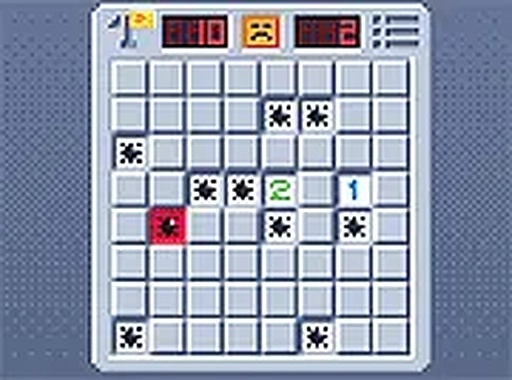
Tile Discovery Retro Puzzle is a classic puzzle game that brings the timeless challenge of tile detection to your browser. The core objective is to dig down through a grid of tiles while avoiding hidden hazards. As you progress, the puzzles become more challenging, requiring careful planning and quick thinking. This game is perfect for fans of retro-style puzzles and anyone looking for a quick mental workout. No downloads are required, and it works seamlessly on both mobile and desktop devices, with full screen mode available for a more focused experience.

How to Play

To play, use your mouse or touch screen to click on tiles. Each click reveals what is underneath—a safe tile or a hidden hazard. If you click on a hazard, the game ends. Your goal is to clear the area by revealing all safe tiles without triggering any hazards. The controls are simple and intuitive, making it easy for anyone to start playing. Speed and accuracy are important for achieving the best times, and you can adjust the game to full screen for a better view.

Game Features

Classic retro puzzle gameplay with modern browser support. Simple controls that work on touch and mouse. Full screen mode for an immersive experience. Increasing difficulty across levels. No downloads or installations needed. Suitable for players of all ages. The game offers a clean, straightforward challenge that is easy to pick up, making it a good choice for short breaks or longer play sessions.

Tips for Success

To succeed in Tile Discovery Retro Puzzle, start by clicking on tiles in the center of the grid to gather more information. Use the numbers revealed on safe tiles to deduce where hazards are hidden. Work methodically, marking potential hazard locations mentally. Practice regularly to improve your speed and accuracy. Take your time on harder levels—rushing can lead to mistakes. Finally, use full screen mode to minimize distractions and focus on the puzzle.

Compatibility

This H5 game runs smoothly on:
• Desktop computers (Windows / Mac) • Mobile phones (iPhone / Android)
• Tablets (iPad / Android)
🌐 Best experienced with Chrome, Safari, or Edge
Advertisement

Faq

Is Tile Discovery Retro Puzzle free to play?
Yes, Tile Discovery Retro Puzzle is free to play directly in your browser. There are no hidden fees or subscription requirements. You can enjoy the full game without any downloads or purchases.
Can I play Tile Discovery Retro Puzzle on mobile devices?
Yes, the game is designed to work on both mobile and desktop devices. Touch controls are supported, so you can play on smartphones and tablets just as easily as on a computer.
Does Tile Discovery Retro Puzzle have an end or is it endless?
The game features multiple levels with increasing difficulty. While there is a progression system, the exact number of levels may vary. Players can continue to challenge themselves with harder puzzles as they advance.
What happens when I click on a hazard in Tile Discovery Retro Puzzle?
Clicking on a hazard ends the current game session. You will need to start a new puzzle from the beginning. This adds a layer of challenge and encourages careful deduction.
Are there any time limits in Tile Discovery Retro Puzzle?
The game does not impose strict time limits, allowing you to think at your own pace. However, completing puzzles faster may be tracked for personal bests, encouraging speed and efficiency.
Can I adjust the difficulty in Tile Discovery Retro Puzzle?
The game includes levels that naturally increase in difficulty as you progress. Some versions may allow you to select a starting difficulty, but the core experience is designed to gradually challenge your skills.

Leave a Comment